C6833 | Sony Xperia Z Ultra
Android 4.3 Jelly Bean 14.2.A.1.136
Download the official Android Android 4.3 Jelly Bean for Sony Xperia Z Ultra C6833 mobile easily and high speed download links support resuming
Changes in Android 4.3 for the Sony C6833
Android 4.3, also known as Jelly Bean, brought noticeable improvements compared to the previous version, positively impacting the performance of the Sony C6833. One of the most significant enhancements was in speed performance, as system responsiveness was improved, making interaction with applications smoother.
Additionally, the user interface was updated to be more appealing and user-friendly. Enhancements were made to the quick settings panel, allowing users to access essential functions faster. A new feature called "multiple users" was introduced, enabling the creation of separate accounts on the same device, enhancing privacy.
Regarding app management, the update system was improved, making it easier to manage installed applications and updates through a simplified user interface. System security was also strengthened through regular security updates, providing better protection against vulnerabilities.
Finally, Android 4.3 introduced new features such as support for Bluetooth Smart technology, allowing for more efficient connections with various devices. These improvements made the Sony C6833 a preferred choice for Android users seeking a smooth and secure experience.
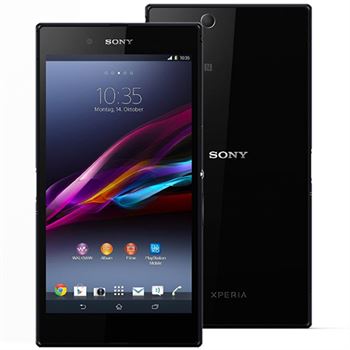
| Brand | Sony | |
|---|---|---|
| Name | Xperia Z Ultra | |
| Model | C6833 | |
| System | Android 4.3 Jelly Bean | |
| Baseband | 14.2.A.1.136 Customized CE | |
| Firmware Type | Upgrade Firmware | |
| Download Count | 21,574 | |
| Notes |
-
Attention:
- This firmware for Xperia Z Ultra mobile is compatible with model C6833 only and should not be installed on any other model.
- The firmware version is Android 4.3, most phone manufacturers don't allow you to downgrade the system to an earlier version.
- Installation is at your own risk.
Choose one of the download links below to download the file