C6502 | Sony Xperia ZL
Android 5.1.1 Lollipop 10.7.A.0.222
Download the official Android Android 5.1.1 Lollipop for Sony Xperia ZL C6502 mobile easily and high speed download links support resuming
Changes in Android 5.1.1 for Sony C6502
The latest Android 5.1.1 version brings noticeable improvements compared to previous versions, especially for the Sony C6502. One of the most significant enhancements is the overall performance of the phone, with improved system responsiveness and reduced lag when launching applications.
The user interface also features notable changes. The design of the menu and settings has been streamlined, making it easier to navigate through different options. Additionally, the user experience has been improved by introducing new customization options for the home screen.
Regarding privacy, new features have been added to help users gain better control over their data. Users can now manage permissions more effectively, allowing them to control which apps can access their personal information.
Enhancements in app management were a priority for this update, with improved mechanisms for managing installed applications, making it easier for users to delete or disable unused apps. The overall performance of apps has also been enhanced.
Finally, Android 5.1.1 comes with new security updates, strengthening the device's protection against security threats. These updates are essential for safeguarding data and privacy.
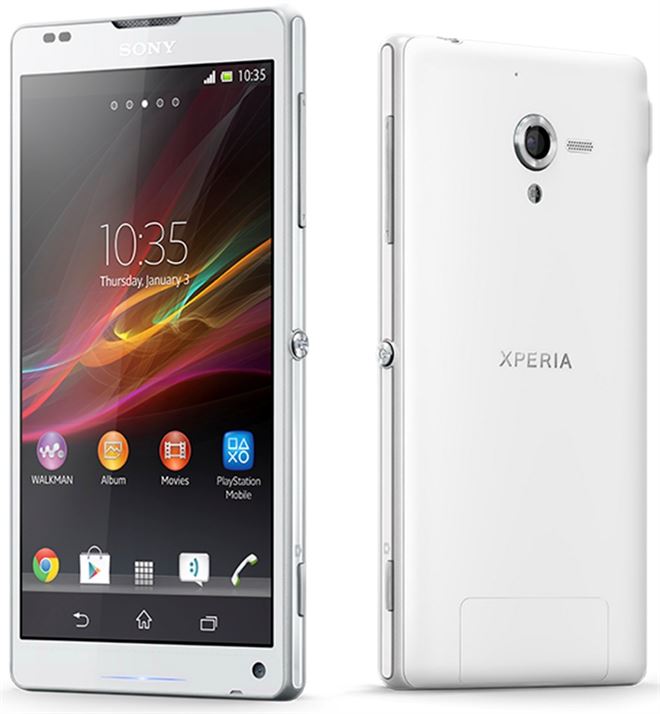
| Brand | Sony | |
|---|---|---|
| Name | Xperia ZL | |
| Model | C6502 | |
| System | Android 5.1.1 Lollipop | |
| Baseband | 10.7.A.0.222 Customized MEA | |
| Firmware Type | Upgrade Firmware | |
| Download Count | 12,596 | |
| Notes |
-
Attention:
- This firmware for Xperia ZL mobile is compatible with model C6502 only and should not be installed on any other model.
- The firmware version is Android 5.1.1, most phone manufacturers don't allow you to downgrade the system to an earlier version.
- Installation is at your own risk.
Choose one of the download links below to download the file