C5306 | Sony Xperia SP LTE
Android 4.3 Jelly Bean 12.1.A.1.205
Download the official Android Android 4.3 Jelly Bean for Sony Xperia SP LTE C5306 mobile easily and high speed download links support resuming
Changes in Android 4.3 for Sony C5306
Android 4.3, also known as Jelly Bean, brought notable improvements compared to previous versions, especially for the Sony C5306 phone running a ROM with baseband 12.1.A.1.205. One of the most significant enhancements is the phone's performance, as startup speed and touch responsiveness were improved, making the user experience smoother.
Regarding the user interface, some design tweaks were introduced, providing a more visually appealing and user-friendly experience. Customization options for the home screen were also improved, allowing users to better personalize wallpapers and icons.
As for privacy, Android 4.3 introduced new features such as app permission controls, allowing users to specify the permissions granted to each app, thereby enhancing the security of personal data.
In terms of app management, memory management performance was improved, helping to reduce resource consumption and increase app efficiency. Security update mechanisms were also enhanced, ensuring that users receive updates more quickly and consistently.
Finally, Android 4.3 introduced new features such as Bluetooth LE support, enabling more efficient connections with wearable devices and sensors.
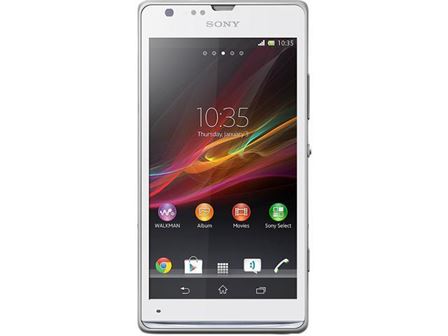
| Brand | Sony | |
|---|---|---|
| Name | Xperia SP LTE | |
| Model | C5306 | |
| System | Android 4.3 Jelly Bean | |
| Baseband | 12.1.A.1.205 GENERIC AM | |
| Firmware Type | Upgrade Firmware | |
| Download Count | 9,489 | |
| Notes |
-
Attention:
- This firmware for Xperia SP LTE mobile is compatible with model C5306 only and should not be installed on any other model.
- The firmware version is Android 4.3, most phone manufacturers don't allow you to downgrade the system to an earlier version.
- Installation is at your own risk.
Choose one of the download links below to download the file