SPH-L710 | Samsung Galaxy S3 LTE (Sprint)
Android 4.3 Jelly Bean L710VPUCMK3
Download the official Android Android 4.3 Jelly Bean for Samsung Galaxy S3 LTE (Sprint) SPH-L710 mobile easily and high speed download links support resuming
Changes in Android 4.3 for SPH-L710
Google has released Android 4.3, which brings notable improvements compared to the previous version. For the SPH-L710 phone from Samsung, carrying the baseband L710VPUCMK3, the updates include enhancements in phone performance and user interface.
In terms of performance, the system's response speed has been improved, making app launches and navigation between menus smoother. Memory management has also been enhanced, helping to run applications more efficiently.
Regarding the user interface, design improvements have been made, including colors and icons, making the experience more appealing. New features such as support for Bluetooth Smart technology have also been added, which helps in connecting to wearable devices.
Concerning privacy, privacy settings have been enhanced, allowing users to have greater control over which applications can access personal data. Additionally, security updates have been strengthened, increasing the device's protection against security vulnerabilities.
Finally, app management has been improved, making it easier to manage installed applications, including uninstalling and disabling options more effectively.
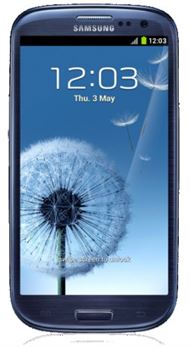
| Brand | Samsung | |
|---|---|---|
| Name | Galaxy S3 LTE (Sprint) | |
| Model | SPH-L710 | |
| System | Android 4.3 Jelly Bean | |
| Baseband | SPR L710VPUCMK3 | |
| Firmware Type | Upgrade Firmware | |
| Download Count | 21,813 | |
| Notes |
-
Attention:
- This firmware for Galaxy S3 LTE (Sprint) mobile is compatible with model SPH-L710 only and should not be installed on any other model.
- The firmware version is Android 4.3, most phone manufacturers don't allow you to downgrade the system to an earlier version.
- Installation is at your own risk.
Choose one of the download links below to download the file