SM-X906B | Samsung Galaxy Tab S8 Ultra
Android 13 T X906BXXU5BWH6
Download the official Android Android 13 T for Samsung Galaxy Tab S8 Ultra SM-X906B mobile easily and high speed download links support resuming
Changes in Android 13 for SM-X906B
Samsung has released new updates for the SM-X906B smartphone, which runs on Android 13, bringing numerous improvements compared to the previous Android version. One of the most notable enhancements is the overall performance of the device, with improved system responsiveness and reduced power consumption.
The user interface has undergone a significant transformation, with new features such as cohesive design with customizable colors and themes, making the user experience smoother and more appealing.
Regarding privacy, Android 13 has introduced new options for users to control their data, including the ability to specify which apps can access sensitive locations. This enhances the security of personal data.
App management has also been improved, allowing users to organize applications better and manage notifications more effectively. New features have been added to facilitate multitasking as well.
Security updates are delivered regularly with Android 13, as Samsung aims to provide continuous protection against security threats. This ensures that the device remains safeguarded against harmful applications.
Finally, Android 13 brings new features such as support for new programming languages and artificial intelligence technologies, enhancing the overall user experience and enabling developers to create more effective applications.
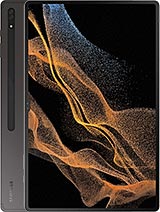
| Brand | Samsung | |
|---|---|---|
| Name | Galaxy Tab S8 Ultra | |
| Model | SM-X906B | |
| System | Android 13 T | |
| Baseband | XSG X906BXXU5BWH6 | |
| Firmware Type | Upgrade Firmware | |
| Download Count | 204 | |
| Notes |
-
Attention:
- This firmware for Galaxy Tab S8 Ultra mobile is compatible with model SM-X906B only and should not be installed on any other model.
- The firmware version is Android 13, most phone manufacturers don't allow you to downgrade the system to an earlier version.
- Installation is at your own risk.
Choose one of the download links below to download the file