SM-T715 | Samsung Galaxy Tab S2 8.0 LTE-A
Android 7 Nougat T715XXU2CQI6
Download the official Android Android 7 Nougat for Samsung Galaxy Tab S2 8.0 LTE-A SM-T715 mobile easily and high speed download links support resuming
Changes in Android 7 for SM-T715
Android 7, also known as Nougat, introduced a range of changes and improvements compared to the previous version. One of the most notable enhancements is the phone's performance, as energy consumption has been optimized, helping to extend battery life during daily use.
The user interface also saw some tangible changes, such as the introduction of split-screen functionality, allowing users to run two apps simultaneously. This feature enhances user productivity, especially when handling multiple applications.
Privacy improvements were also a significant part of this update, with new features introduced to better control notification settings, giving users more control over the data they share with apps.
Regarding app management, new options have been provided to allow for more efficient management of installed applications, including features such as quick deletion and automatic app updates. Security updates have also been enhanced, increasing the device's protection against new security threats.
Finally, Android 7 introduced new features like animated images in notifications and other enhancements that help improve the overall user experience.
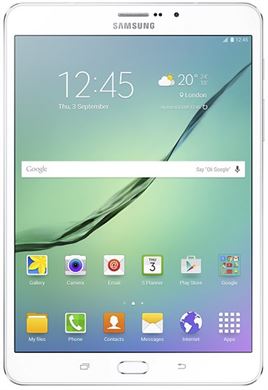
| Brand | Samsung | |
|---|---|---|
| Name | Galaxy Tab S2 8.0 LTE-A | |
| Model | SM-T715 | |
| System | Android 7 Nougat | |
| Baseband | XSG T715XXU2CQI6 | |
| Firmware Type | Upgrade Firmware | |
| Download Count | 6,120 | |
| Notes |
-
Attention:
- This firmware for Galaxy Tab S2 8.0 LTE-A mobile is compatible with model SM-T715 only and should not be installed on any other model.
- The firmware version is Android 7, most phone manufacturers don't allow you to downgrade the system to an earlier version.
- Installation is at your own risk.
Choose one of the download links below to download the file