SM-T710 | Samsung Galaxy Tab S2 8.0 WiFi
Android 5.1.1 Lollipop T710XXU2CPE2
Download the official Android Android 5.1.1 Lollipop for Samsung Galaxy Tab S2 8.0 WiFi SM-T710 mobile easily and high speed download links support resuming
Changes in Android 5.1.1 for Samsung SM-T710
Android 5.1.1 represents a significant improvement over previous versions, offering a range of new features and enhancements that enhance the user experience. One of the most notable improvements is the phone's performance, where memory management and startup speed have been optimized, allowing applications to run more smoothly.
The user interface has also received updates, with design elements improved to be more attractive and user-friendly. The notification experience has been enhanced, allowing users to quickly access information without having to navigate through different applications.
Regarding privacy, Android 5.1.1 introduced new features such as more advanced security options, which help users better protect their data. App management has been improved, enabling users to have greater control over the permissions granted to applications, ensuring better privacy and security.
Additionally, regular security updates have been provided to ensure the device is protected against new security threats. New features such as support for multiple SIM cards have also been introduced, enhancing usability flexibility.
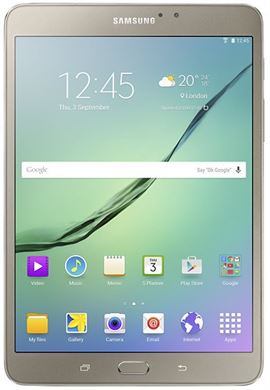
| Brand | Samsung | |
|---|---|---|
| Name | Galaxy Tab S2 8.0 WiFi | |
| Model | SM-T710 | |
| System | Android 5.1.1 Lollipop | |
| Baseband | XSG T710XXU2CPE2 | |
| Firmware Type | Upgrade Firmware | |
| Download Count | 5,527 | |
| Notes |
-
Attention:
- This firmware for Galaxy Tab S2 8.0 WiFi mobile is compatible with model SM-T710 only and should not be installed on any other model.
- The firmware version is Android 5.1.1, most phone manufacturers don't allow you to downgrade the system to an earlier version.
- Installation is at your own risk.
Choose one of the download links below to download the file