SM-N900P | Samsung Galaxy Note 3 (Sprint)
Android 4.3 Jelly Bean N900PVPUBMJ4
Download the official Android Android 4.3 Jelly Bean for Samsung Galaxy Note 3 (Sprint) SM-N900P mobile easily and high speed download links support resuming
Changes in Android 4.3 for SM-N900P
Android 4.3, also known as Jelly Bean, brought noticeable improvements compared to its predecessor. One of the most significant changes was the enhancement of device performance, with improved responsiveness and reduced app loading times, providing a smoother user experience.
In addition, the user interface was significantly improved, with new features such as support for OpenGL ES 3.0, allowing for more detailed and realistic graphics in games and applications.
Regarding privacy, app permission management was enhanced, enabling users to manage permissions granted to each app individually, thus increasing security and privacy levels.
As for app management, customization options were improved, allowing users to organize apps more effectively with features like categories and tagging.
Security updates were also an important part of this release, with regular updates addressing security vulnerabilities, providing better protection for users.
Finally, Android 4.3 added new features such as support for Bluetooth Smart, enabling connectivity with wearable devices, along with overall performance improvements to the system.
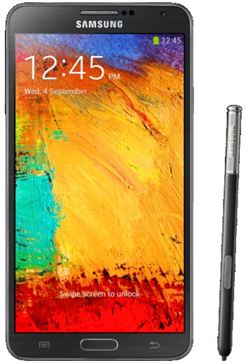
| Brand | Samsung | |
|---|---|---|
| Name | Galaxy Note 3 (Sprint) | |
| Model | SM-N900P | |
| System | Android 4.3 Jelly Bean | |
| Baseband | SPR N900PVPUBMJ4 | |
| Firmware Type | Upgrade Firmware | |
| Download Count | 27,012 | |
| Notes |
-
Attention:
- This firmware for Galaxy Note 3 (Sprint) mobile is compatible with model SM-N900P only and should not be installed on any other model.
- The firmware version is Android 4.3, most phone manufacturers don't allow you to downgrade the system to an earlier version.
- Installation is at your own risk.
Choose one of the download links below to download the file