SM-N9009 | Samsung Galaxy Note 3 (China/CDMA)
Android 5 Lollipop N9009KEU2GOC5
Download the official Android Android 5 Lollipop for Samsung Galaxy Note 3 (China/CDMA) SM-N9009 mobile easily and high speed download links support resuming
Changes in Android 5 for the SM-N9009 Samsung Phone
Android 5.0 (Lollipop) came with a range of notable improvements compared to previous versions, especially for the SM-N9009 phone. One of the most significant enhancements is the overall performance boost, with improved memory management and faster app speeds, allowing users a smoother experience.
The user interface also saw significant changes, introducing Material Design that provides a more modern look and ease of use. Colors and animations became more vibrant, enhancing the user experience.
Regarding privacy, Android 5 introduced new features such as better notification control, allowing users to customize how notifications appear on the lock screen, which enhances privacy.
App management was also improved, allowing users to add new apps more easily and close unused apps with ease. Security updates were enhanced as well, including more effective periodic security updates to protect users' data and personal information.
Finally, Android 5 introduced new features such as multitasking support, allowing users to run two apps simultaneously, which is a strong addition for increasing productivity.
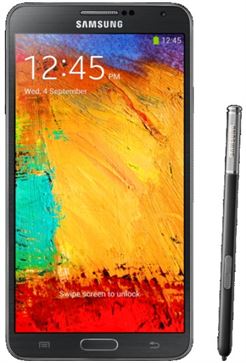
| Brand | Samsung | |
|---|---|---|
| Name | Galaxy Note 3 (China/CDMA) | |
| Model | SM-N9009 | |
| System | Android 5 Lollipop | |
| Baseband | CTC N9009KEU2GOC5 | |
| Firmware Type | Upgrade Firmware | |
| Download Count | 17,577 | |
| Notes |
-
Attention:
- This firmware for Galaxy Note 3 (China/CDMA) mobile is compatible with model SM-N9009 only and should not be installed on any other model.
- The firmware version is Android 5, most phone manufacturers don't allow you to downgrade the system to an earlier version.
- Installation is at your own risk.
Choose one of the download links below to download the file