SM-J600N | Samsung Galaxy J6 2018
Android 10 Q J600NKOS5CTI1
Download the official Android Android 10 Q for Samsung Galaxy J6 2018 SM-J600N mobile easily and high speed download links support resuming
Changes in Android 10 for Samsung's SM-J600N
Android 10 introduced a significant set of improvements compared to the previous version, positively affecting the performance of the SM-J600N phone. One of the most notable changes is the overall system performance enhancement, making the phone smoother in handling various applications.
The user interface also saw noticeable changes, with a more modern design featuring options like dark mode, which helps reduce power consumption and lessen eye strain. Notification management has also been improved, making it easier for users to manage alerts more effectively.
Regarding privacy, Android 10 added new features that allow users to have greater control over their personal data. You can now set app permissions more precisely, giving users the ability to control what apps can access.
Additionally, app management has been improved, making it easier to delete or temporarily stop unused apps. Security updates are more frequent, enhancing the device's protection against security threats.
Finally, Android 10 introduced new features like the built-in screen recording, which makes it easier for users to share content directly from their screens, enhancing the overall user experience.
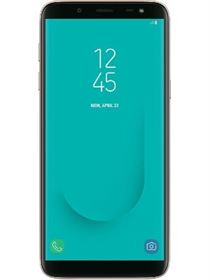
| Brand | Samsung | |
|---|---|---|
| Name | Galaxy J6 2018 | |
| Model | SM-J600N | |
| System | Android 10 Q | |
| Baseband | KOO J600NKOS5CTI1 | |
| Firmware Type | Upgrade Firmware | |
| Download Count | 917 | |
| Notes |
-
Attention:
- This firmware for Galaxy J6 2018 mobile is compatible with model SM-J600N only and should not be installed on any other model.
- The firmware version is Android 10, most phone manufacturers don't allow you to downgrade the system to an earlier version.
- Installation is at your own risk.
Choose one of the download links below to download the file