SM-G611S | Samsung Galaxy On7 Prime (SK Telecom)
Android 8.1 Oreo G611SKSU1BRK6
Download the official Android Android 8.1 Oreo for Samsung Galaxy On7 Prime (SK Telecom) SM-G611S mobile easily and high speed download links support resuming
Changes in Android 8.1 for SM-G611S
Samsung has rolled out the Android 8.1 update for the SM-G611S, bringing a host of improvements compared to the previous version. One of the major enhancements is the overall performance of the device, with improved response times and reduced application loading times.
As for the user interface, several tweaks have been made to make navigation smoother. The settings layout has been refined, allowing users to access important features more quickly.
Regarding privacy, Android 8.1 introduces new features such as better app permission controls, enabling users to manage what each app can access, thus enhancing the security of personal data.
Additionally, app management has seen improvements, with better multitasking capabilities that allow users to switch between apps more seamlessly.
Security updates are also a highlight, as the new version comes with the latest security patches, ensuring the phone is protected against known vulnerabilities.
Finally, Android 8.1 introduces new features such as battery performance enhancements and power-saving improvements, providing users with an overall better experience.
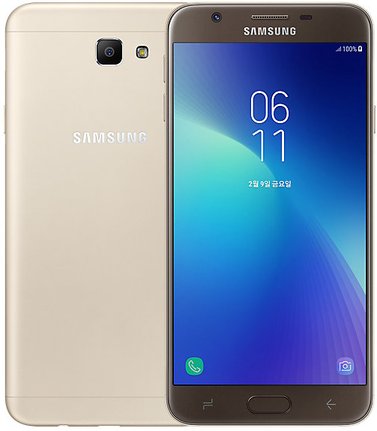
| Brand | Samsung | |
|---|---|---|
| Name | Galaxy On7 Prime (SK Telecom) | |
| Model | SM-G611S | |
| System | Android 8.1 Oreo | |
| Baseband | SKC G611SKSU1BRK6 | |
| Firmware Type | Upgrade Firmware | |
| Download Count | 977 | |
| Notes |
-
Attention:
- This firmware for Galaxy On7 Prime (SK Telecom) mobile is compatible with model SM-G611S only and should not be installed on any other model.
- The firmware version is Android 8.1, most phone manufacturers don't allow you to downgrade the system to an earlier version.
- Installation is at your own risk.
Choose one of the download links below to download the file