SM-E426B | Samsung Galaxy F42 5G
Android 12 S E426BXXU3BVH4
Download the official Android Android 12 S for Samsung Galaxy F42 5G SM-E426B mobile easily and high speed download links support resuming
Changes in Android 12 for Samsung's SM-E426B
Android 12 is considered one of the most significant updates for the Android platform, bringing a host of substantial improvements compared to previous versions. For the SM-E426B device running the E426BXXU3BVH4 baseband ROM, performance has been noticeably enhanced, contributing to faster response times and smoother navigation between applications.
The user interface in Android 12 features a new and more modern design, introducing elements like Material You, which allows for greater customization of the user interface, enabling users to change colors and layouts according to their personal preferences. Additionally, app management has been improved, making it easier to access and manage recently used applications.
Regarding privacy, Android 12 has introduced new features such as a privacy dashboard that provides more transparency about the data accessed by applications. Furthermore, security updates have been enhanced, incorporating monthly security updates to ensure greater protection for users and their data.
As for new features, the system has added the ability to use automatic dark mode, improvements in overall app performance, and support for fast charging technology.
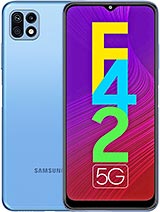
| Brand | Samsung | |
|---|---|---|
| Name | Galaxy F42 5G | |
| Model | SM-E426B | |
| System | Android 12 S | |
| Baseband | NPB E426BXXU3BVH4 | |
| Firmware Type | Upgrade Firmware | |
| Download Count | 405 | |
| Notes |
-
Attention:
- This firmware for Galaxy F42 5G mobile is compatible with model SM-E426B only and should not be installed on any other model.
- The firmware version is Android 12, most phone manufacturers don't allow you to downgrade the system to an earlier version.
- Installation is at your own risk.
Choose one of the download links below to download the file