SM-A136W | Samsung Galaxy A13 5G
Android 12 S A136WVLS3BVI1
Download the official Android Android 12 S for Samsung Galaxy A13 5G SM-A136W mobile easily and high speed download links support resuming
Changes in Android 12 for Samsung's SM-A136W
Android 12 brought many changes and improvements compared to previous versions, significantly enhancing the user experience. One of the most notable improvements is the phone's performance, with optimized resource management allowing applications to run faster and more smoothly.
Regarding the user interface, a new design called 'Material You' has been introduced, which allows for greater customization of the phone's interface through colors that change according to the wallpaper. This adds an aesthetic touch and a personalized user experience.
In terms of privacy, privacy settings have been significantly enhanced, with an indicator showing users when the camera or microphone is in use, increasing awareness of personal data being accessed.
Application management has also been improved to provide a smoother experience, with new features such as easier permission controls, making it simpler to manage applications that can access specific data.
As for security updates, Android 12 offers more frequent security updates, enhancing user protection against potential threats. New features like 'Private Compute Core' allow for secure data processing on the device without the need to send it to servers.
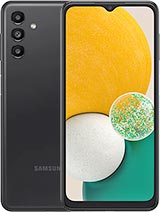
| Brand | Samsung | |
|---|---|---|
| Name | Galaxy A13 5G | |
| Model | SM-A136W | |
| System | Android 12 S | |
| Baseband | XAC A136WVLS3BVI1 | |
| Firmware Type | Upgrade Firmware | |
| Download Count | 560 | |
| Notes |
-
Attention:
- This firmware for Galaxy A13 5G mobile is compatible with model SM-A136W only and should not be installed on any other model.
- The firmware version is Android 12, most phone manufacturers don't allow you to downgrade the system to an earlier version.
- Installation is at your own risk.
Choose one of the download links below to download the file