GT-P5220 | Samsung Galaxy Tab 3 10.1 LTE
Android 4.4.2 Kitkat P5220XXUANB6
Download the official Android Android 4.4.2 Kitkat for Samsung Galaxy Tab 3 10.1 LTE GT-P5220 mobile easily and high speed download links support resuming
Changes in Android 4.4.2 for GT-P5220
Android 4.4.2, also known as KitKat, introduced numerous enhancements compared to previous versions. Among these enhancements, performance was a key focus area. The system's speed was significantly improved, contributing to faster application responses and interface interactions.
The user interface also saw notable updates, with a streamlined design that became more elegant and user-friendly. Flat design elements and improved clarity in icons were introduced, enhancing the overall user experience.
Regarding privacy, privacy settings were greatly strengthened. Users gained better control over the data shared with applications, enhancing personal security levels.
App management also received improvements, allowing users to manage installed applications more easily, including uninstall options and more flexible permission controls.
Additionally, security updates were included regularly with this version, helping to protect the device from modern security threats.
Finally, Android 4.4.2 introduced new features such as cloud printing support, making it easier for users to print documents directly from their phones to compatible printers.
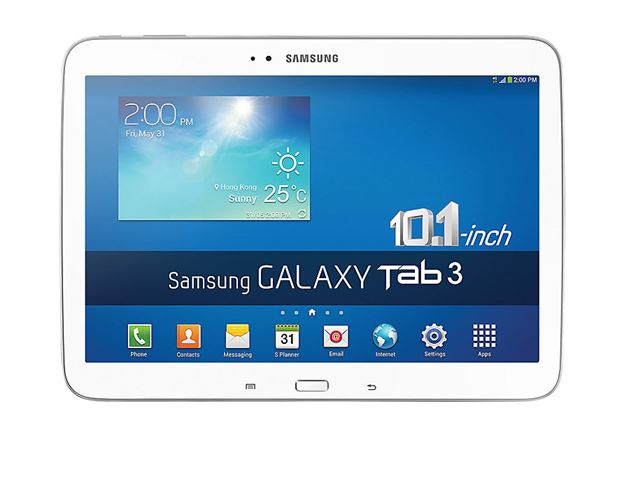
| Brand | Samsung | |
|---|---|---|
| Name | Galaxy Tab 3 10.1 LTE | |
| Model | GT-P5220 | |
| System | Android 4.4.2 Kitkat | |
| Baseband | XSG P5220XXUANB6 | |
| Firmware Type | Upgrade Firmware | |
| Download Count | 11,911 | |
| Notes |
-
Attention:
- This firmware for Galaxy Tab 3 10.1 LTE mobile is compatible with model GT-P5220 only and should not be installed on any other model.
- The firmware version is Android 4.4.2, most phone manufacturers don't allow you to downgrade the system to an earlier version.
- Installation is at your own risk.
Choose one of the download links below to download the file