GT-S6310N | Samsung Galaxy Young
Android 4.1.2 Jelly Bean S6310NXXAMD2
Download the official Android Android 4.1.2 Jelly Bean for Samsung Galaxy Young GT-S6310N mobile easily and high speed download links support resuming
Changes in Android 4.1.2 for GT-S6310N
Android 4.1.2, also known as Jelly Bean, introduced several improvements compared to previous versions, positively affecting the performance of the Samsung GT-S6310N phone. One of the most notable enhancements was in the phone's performance, with improved system speed and touch responsiveness, resulting in a smoother user experience.
User interfaces were significantly improved, introducing new customizable features and widgets that make accessing applications and information easier. The notification system was also enhanced, allowing for quicker and more efficient interaction with notifications.
Regarding privacy, new options were added for users to control app permissions, giving them greater control over the information shared with applications. App management became easier as well, with users now able to uninstall apps more straightforwardly and view data usage for each application.
Security updates were a key aspect of this version, including new security patches to protect devices from potential threats. Additionally, new features such as Google Now were added, enhancing the user experience by providing useful information based on location and daily activities.
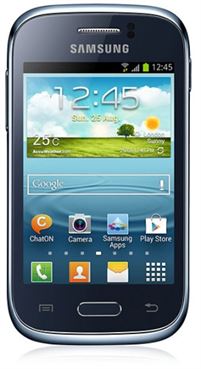
| Brand | Samsung | |
|---|---|---|
| Name | Galaxy Young | |
| Model | GT-S6310N | |
| System | Android 4.1.2 Jelly Bean | |
| Baseband | ITV S6310NXXAMD2 | |
| Firmware Type | Upgrade Firmware | |
| Download Count | 26,077 | |
| Notes |
-
Attention:
- This firmware for Galaxy Young mobile is compatible with model GT-S6310N only and should not be installed on any other model.
- The firmware version is Android 4.1.2, most phone manufacturers don't allow you to downgrade the system to an earlier version.
- Installation is at your own risk.
Choose one of the download links below to download the file